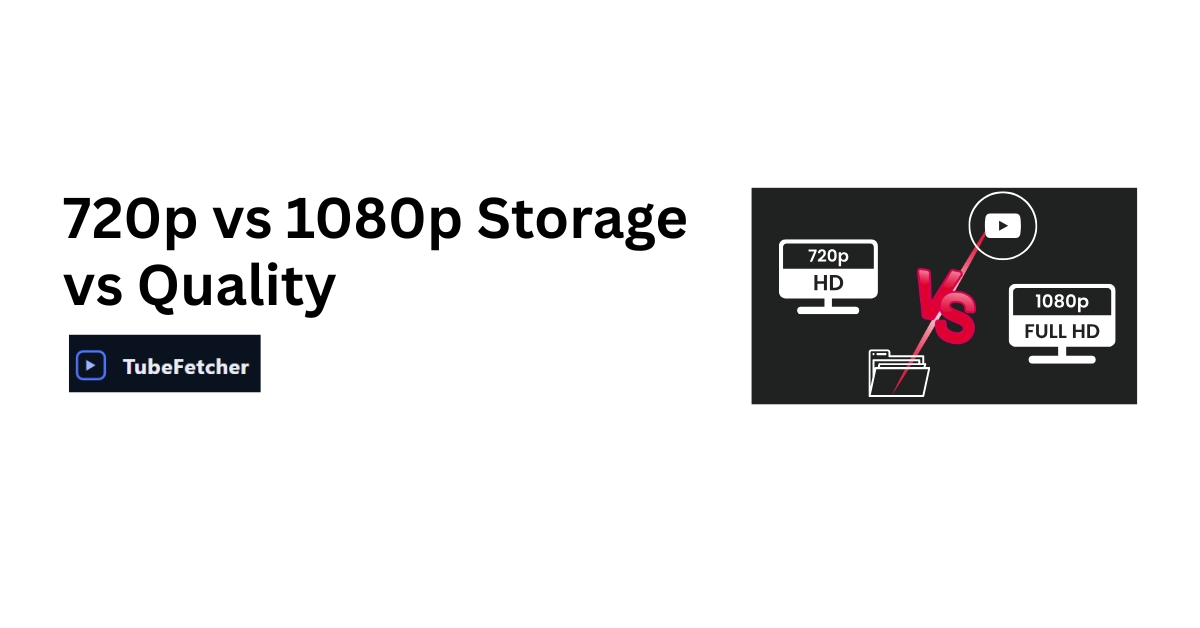
You are about to download a YouTube video, and TubeFetcher shows you both 720p and 1080p options. The 1080p file is twice the size. Is the quality difference worth filling your drive faster?
1080p delivers 2.25 times more pixels than 720p and looks noticeably sharper on screens larger than 32 inches. But 1080p files typically consume 60-100% more storage than their 720p counterparts. For phones and tablets under 10 inches, 720p provides excellent quality at half the storage cost. For laptops, monitors, and TVs, 1080p justifies the extra space.
This guide breaks down the actual numbers, shows you when each resolution makes sense, and helps you make the right choice for your specific situation.
The Technical Reality: What 720p and 1080p Actually Mean
Resolution numbers represent pixel dimensions, the tiny dots that form your video image.
720p (HD): 1280 pixels wide by 720 pixels tall = 921,600 total pixels
1080p (Full HD): 1920 pixels wide by 1080 pixels tall = 2,073,600 total pixels
The math is straightforward: 1080p contains 2.25 times more pixels than 720p. More pixels mean finer detail, sharper edges, and clearer text. But more pixels also mean larger file sizes.
Why Pixel Count Alone Does Not Tell the Whole Story
Two factors determine whether you actually see the quality difference:
Screen size matters. On a 5.5-inch phone screen, your eyes cannot distinguish individual pixels at either resolution from normal viewing distance. The extra 1.1 million pixels in 1080p go unnoticed. On a 50-inch TV, those pixels spread across a much larger area, making the difference obvious.
Viewing distance matters. Sitting 10 feet from a TV versus 2 feet from a laptop changes everything. The closer you sit, the more resolution matters.
The practical threshold: screens under 10 inches at arm’s length show minimal visible difference between 720p and 1080p. Screens over 24 inches at normal viewing distances reveal 1080p’s advantage clearly.
Storage Comparison: The Real Numbers
File size depends on three factors: resolution, video length, and encoding bitrate. Here are typical ranges for YouTube downloads:
File Size by Video Length
| Video Length | 720p (Typical) | 1080p (Typical) | Difference |
| 3 minutes | 20-35 MB | 45-80 MB | ~2x larger |
| 10 minutes | 70-120 MB | 150-280 MB | ~2x larger |
| 30 minutes | 200-350 MB | 450-800 MB | ~2x larger |
| 1 hour | 400-700 MB | 900-1,500 MB | ~2x larger |
| 2 hours | 800-1,400 MB | 1.8-3.0 GB | ~2x larger |
These ranges reflect typical YouTube encoding. Highly detailed content (nature documentaries, gaming footage) tends toward the higher end. Talking-head videos and podcasts fall toward the lower end.
Library Storage Planning
If you are building an offline video library, storage adds up quickly:
| Library Size | 720p Storage | 1080p Storage |
| 50 videos (avg 20 min) | ~6-10 GB | ~12-22 GB |
| 100 videos (avg 20 min) | ~12-20 GB | ~25-45 GB |
| 200 videos (avg 20 min) | ~25-40 GB | ~50-90 GB |
| 500 videos (avg 20 min) | ~60-100 GB | ~125-220 GB |
A 128GB phone with 80GB usable storage holds roughly 400-600 videos at 720p or 180-300 videos at 1080p. That difference matters when you are preparing for a long flight or an offline study session.
When 720p Makes More Sense
Choose 720p when storage efficiency outweighs marginal quality gains:
Mobile Devices Under 7 Inches
Phone screens pack pixels tightly. A 6.5-inch phone with a 1080p display has roughly 400 pixels per inch. At that density, 720p content upscales cleanly without visible artifacts. You save 50% storage and notice no practical difference during playback.
Tablets for Casual Viewing
Watching downloaded videos on a 10-inch tablet while commuting or traveling? 720p delivers perfectly acceptable quality. Save your storage for more content rather than pixels you will not perceive.
Limited Storage Situations
64GB phones, older laptops with small SSDs, or SD cards with limited space, 720p lets you carry more content. Twenty tutorials at 720p beat ten tutorials at 1080p when you need reference material offline.
Slow or Metered Internet
Downloading over hotel WiFi, mobile data, or slow connections? 720p downloads in half the time. When bandwidth is precious, smaller files mean faster access to your content.
Content Where Visuals Are Secondary
Podcasts, lectures, audiobooks with static images, talking-head videos, and educational content where you are listening more than watching, 720p handles these perfectly. The speaker’s face does not need 2 million pixels to convey information.
For downloading educational content efficiently, our guide on saving lecture videos offline covers optimal settings for study materials.
When 1080p Justifies the Space
Choose 1080p when visual quality genuinely improves your viewing experience:
Large Screens (32 Inches and Above)
TVs, desktop monitors, and large displays reveal the pixel difference clearly. Watching a downloaded documentary on your 55-inch TV? 720p looks soft and slightly blurry. 1080p maintains sharpness at that scale.
Close Viewing Distances
Laptop users sitting 18-24 inches from a 15-inch screen see the difference. Desktop users at arm’s length from a 27-inch monitor see it even more. The closer you sit, the more resolution matters.
Visually Detailed Content
Nature documentaries, music videos, cinematography-focused content, gaming footage, animation, and anything where visual detail is the point, these benefit from 1080p. Fine textures, distant details, and fast motion all render better at higher resolution.
Archive-Quality Downloads
Planning to keep videos long-term? Storage costs drop yearly, while re-downloading becomes impossible when videos get removed. For permanent archives, 1080p provides future-proof quality.
Text-Heavy Content
Tutorials showing code, spreadsheets, small UI elements, or text that needs to be readable, 1080p keeps text crisp. 720p can blur small characters, making programming tutorials or software walkthroughs harder to follow.
Our guide on downloading tutorials and courses offline covers resolution choices for educational content in detail.
The Hidden Factor: Bitrate Matters More Than You Think
Here is something most resolution comparisons miss: a well-encoded 720p video can look better than a poorly-encoded 1080p video.
Bitrate measures how much data the video uses per second of playback (measured in Mbps, megabits per second). Higher bitrate means more data to represent each frame, which means better quality.
Typical YouTube bitrates:
- 720p: 2.5-5 Mbps
- 1080p: 5-10 Mbps
When YouTube compresses a visually complex video heavily to save bandwidth, that 1080p file might have a lower effective bitrate than a simpler 720p video. The result: more pixels, but each pixel carries less information.
Codec Efficiency Changes the Equation
Modern video codecs compress video more efficiently:
H.264 (AVC): The standard codec. Widely compatible but less efficient.
H.265 (HEVC): Roughly 40-50% more efficient than H.264. A 1080p HEVC file can match the size of a 720p H.264 file while maintaining better quality.
AV1: The newest standard, even more efficient than HEVC. Growing support in 2026 but not universal yet.
YouTube serves different codecs based on your device and connection. When downloading, the codec you receive affects the quality-to-size ratio significantly.
Device-Specific Recommendations
| Device Type | Screen Size | Recommended Resolution | Reasoning |
| Smartphone | Under 6.5″ | 720p | Pixel density too high to see the difference |
| Large Phone | 6.5-7″ | 720p or 1080p | Either works; 720p saves space |
| Small Tablet | 8-10″ | 720p | Good balance of quality and storage |
| Large Tablet | 11-13″ | 1080p | Screen size starts revealing a difference |
| Laptop | 13-15″ | 1080p | Close viewing distance matters |
| Desktop Monitor | 24-32″ | 1080p | Clear quality advantage |
| TV | 40″+ | 1080p (or higher) | Large screen demands higher resolution |
Content-Type Decision Guide
Match resolution to content purpose:
Download at 720p
- Podcasts and audio-focused content
- Lectures and educational talks
- News and commentary videos
- Cooking tutorials (you are following steps, not admiring cinematography)
- Language learning videos
- Background content while working
Download at 1080p
- Music videos and concert footage
- Nature documentaries
- Film analysis and cinematography content
- Gaming walkthroughs and reviews
- Software tutorials with screen recordings
- Fitness videos where you mirror movements
- Content you plan to keep permanently
For music video downloads specifically, check our guide on downloading YouTube music videos in HD.
Practical Storage Scenarios
Scenario 1: Preparing for a Long Flight
You have 15GB free on your phone and want maximum entertainment for a 12-hour flight.
720p approach: Download 60-80 videos (mix of lengths). Plenty of variety.
1080p approach: Download 25-35 videos. Less variety, marginally better quality on a small screen.
Recommendation: 720p. Variety beats imperceptible quality gains on phone screens.
Scenario 2: Building a Tutorial Library
You are collecting programming tutorials to study offline. 200 videos averaging 25 minutes each.
720p: ~50-80 GB total storage needed.
1080p: ~110-180 GB total storage needed.
Recommendation: 1080p for tutorials with code/text on screen. 720p for concept explanations and talking-head content. Mix based on content type.
Scenario 3: Archiving a Favorite Channel
A creator you follow might delete videos or leave the platform. You want permanent copies of 500 videos.
720p: ~100-150 GB. Fits on a single external drive easily.
1080p: ~200-350 GB. Still manageable on modern external drives.
Recommendation: 1080p. Storage is cheap for archiving; re-downloading deleted videos is impossible. Future-proof your archive.
For organizing large downloaded libraries, our video library organization guide covers folder structures and naming conventions.
How to Choose Resolution in TubeFetcher
TubeFetcher displays available resolutions before you download. Here is how to decide quickly:
- Check your target device: Phone viewing? 720p. TV or monitor? 1080p.
- Consider content type: Visual content benefits from 1080p. Audio-focused content does not.
- Check available storage: Tight on space? 720p doubles your capacity.
- Think about permanence: Watching once, then deleting? 720p. Keeping forever? 1080p.
For most users, setting 720p as your default for mobile downloads and 1080p for desktop/TV content creates an efficient workflow without overthinking each download.
Make Your Choice
The 720p versus 1080p decision comes down to three factors: screen size, storage constraints, and content type.
For phones and tablets with limited storage, 720p delivers excellent quality without compromise. For laptops, monitors, and TVs where you have storage space, 1080p provides a visible improvement worth the extra megabytes.
Most users benefit from a hybrid approach: 720p for casual mobile content, 1080p for visual content and anything destined for larger screens.
Download TubeFetcher for Windows or Android and choose your resolution based on how and where you actually watch.
Related Guides:
- Best YouTube Resolution for Offline Viewing
- Best YouTube Format for Downloads
- How to Compress Downloaded YouTube Videos Without Quality Loss
Frequently Asked Questions
Is 720p still acceptable quality in 2026?
Yes. 720p remains the standard for broadcast HD television in many countries. On screens under 32 inches, 720p provides good quality that most viewers find perfectly acceptable. The “720p is outdated” perception comes from comparing it to 4K on large displays, not a fair comparison for mobile viewing.
How much storage does 1080p use compared to 720p?
Typically 60-100% more. A 720p download averaging 100MB becomes roughly 180-200MB at 1080p. The exact ratio depends on encoding settings, but doubling your estimate provides a safe planning figure.
Can I tell the difference between 720p and 1080p on my phone?
On phones under 6.5 inches at normal viewing distance, most people cannot distinguish the two resolutions in motion video. Still frames with fine text might show differences, but during normal playback, the distinction is minimal.
Should I download 1080p if I might watch it on a TV later?
If TV viewing is likely, yes. Downloading 1080p preserves the option to watch on larger screens without re-downloading. If you are certain the content stays on your phone, 720p saves space without sacrifice.
Does 720p download faster than 1080p?
Yes, roughly twice as fast since file sizes are roughly half. On slow connections, this difference becomes significant; a 10-minute video might take 30 seconds at 720p versus 60 seconds at 1080p.
What about 480p or 360p for maximum storage savings?
These resolutions show visible quality loss on most modern screens. 720p represents the threshold where quality remains good while achieving meaningful storage savings. Below 720p, you sacrifice too much clarity for modest additional space savings.
Is there a “best of both worlds” option?
Download 1080p with modern codecs (HEVC/H.265) when available. These files approach 720p sizes while maintaining 1080p clarity. Not all videos offer HEVC versions, but when available, they provide excellent efficiency.