How to Download YouTube Shorts (MP4 or MP3, No App Required)
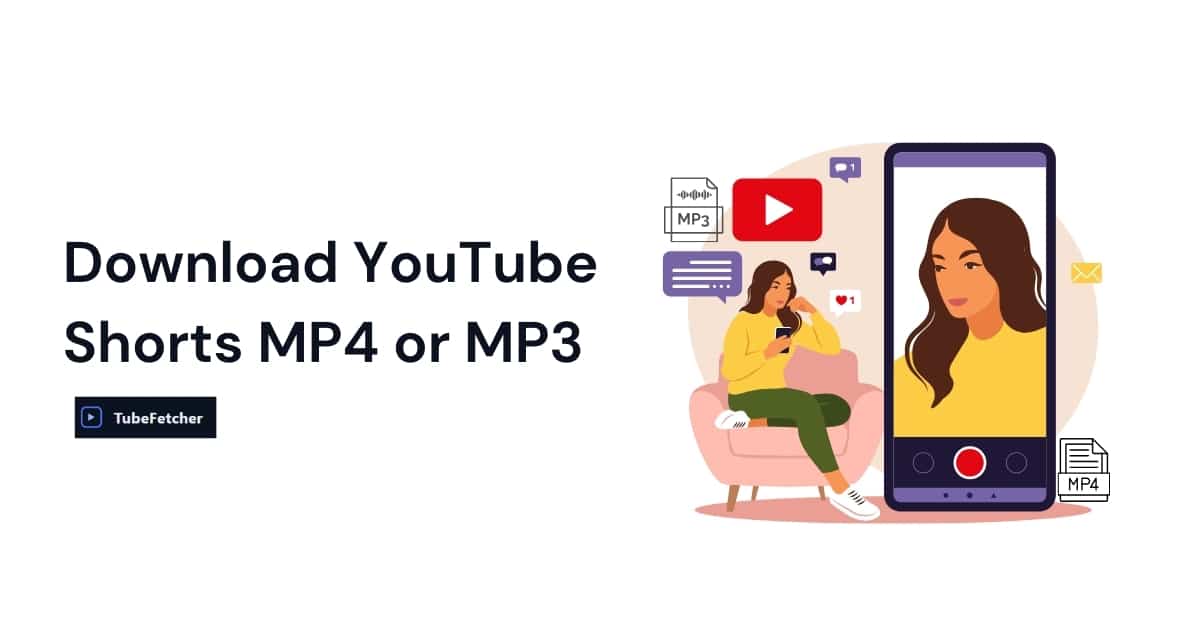
Downloading YouTube Shorts is now a common need as short-form content dominates online attention. These videos, under 60 seconds and often packed with trends, tutorials, or entertainment, are meant for quick consumption, but what about saving them offline? TubeFetcher is the most efficient way to download YouTube Shorts in MP4 or MP3 format, completely free, ad-free, watermark-free, and with no installation required. Whether using Windows, macOS, Android, or iOS, downloads happen directly in your browser, with no software, popups, or server-side tracking involved. Unlike many tools that push downloads through risky servers or require shady app installs, TubeFetcher processes everything locally. This makes it not only fast and user-friendly but also safer and more private. We support: To get started instantly, visit our YouTube Downloader Tool and paste your Shorts link, no login, no account, no nonsense. YouTube Shorts vs Full-Length Videos Why They’re Different to Download YouTube Shorts are structurally and functionally different from traditional YouTube videos. They are hosted under a separate path (youtube.com/shorts/xyz), optimized for vertical viewing, and primarily targeted at mobile users. These distinctions impact how most tools process them for download. For example: This is why it’s crucial to use a downloader built with Shorts-specific support. TubeFetcher recognizes both full-length YouTube videos and Shorts seamlessly, meaning there’s no need to worry whether a video is in the “/watch” or “/shorts” format, everything just works. This supports a smooth and uniform experience for users on both desktop and mobile. When users search for how to download YouTube Shorts, the goal is always the same: speed, simplicity, and reliability without bloatware. TubeFetcher delivers exactly that, with no install required. How to Download YouTube Shorts Step-by-Step Using TubeFetcher Here is the fastest and safest way to download YouTube Shorts: The download begins instantly, no redirection, no waiting pages, and no watermark added to your video. TubeFetcher works perfectly on: Because TubeFetcher is browser-based, you don’t need to install any extensions or applications. It’s also fully ad-free and does not store or log any user data, ensuring a private and secure download experience. Format Options Save YouTube Shorts in MP4 or MP3 YouTube Shorts can be saved in MP4 or MP3 formats using TubeFetcher, depending on whether the goal is to watch the video or extract only the audio. The MP4 download format supports: These resolutions preserve the vertical format of Shorts, making them ideal for mobile playback, reposting to Instagram Reels, or archiving content for offline access. For those who need only the sound, such as remixing clips, saving music, or educational voiceovers. TubeFetcher allows MP3 downloads of YouTube Shorts. This audio-only format is perfect for: All files downloaded via TubeFetcher are compatible with VLC, Windows Media Player, and mobile media players across Android and iOS. Users searching for a shorts mp4 download or YouTube Shorts to MP3 solution receive a complete format toolkit with no additional setup, installation, or conversion required. Is It Legal to Download YouTube Shorts? Downloading YouTube Shorts is only legal under specific circumstances. According to YouTube’s Terms of Service, users may not download content unless a download button or link is provided by YouTube or the uploader has explicitly granted permission. Downloading Shorts is legal in the following cases: Downloading Shorts is not legal when: TubeFetcher reduces legal and ethical risks by processing downloads entirely in-browser, without using remote servers. Since no video is stored or transmitted on our servers, user privacy and compliance are better protected. For deeper clarity, visit our page on legal YouTube downloading practices to understand compliance and safe use. TubeFetcher vs Other YouTube Shorts Downloaders When choosing a YouTube Shorts downloader, safety, transparency, and user experience are critical. Most popular tools like SnapTik or SaveFrom trade convenience for advertising revenue, user tracking, and watermarking. TubeFetcher is different. Below is a feature comparison of TubeFetcher against commonly searched alternatives: Feature TubeFetcher SnapTik SaveFrom GrabTheClip No install required Yes No No No Ad-free experience Yes No No No Watermark-free downloads Yes No No No Local processing (no servers used) Yes No No No MP4 + MP3 support Yes No Yes Yes Legal guidance for ethical use Yes No No No Works across mobile & desktop Yes Yes Yes Yes TubeFetcher remains the safest, cleanest, and most transparent tool for downloading YouTube Shorts, optimized for both mobile-first users and desktop workflows. Save Your Favorite YouTube Shorts Instantly with TubeFetcher TubeFetcher offers the fastest, safest, and most privacy-respecting way to download YouTube Shorts in MP4 or MP3. There are no popups, no app installs, and no tracking. Downloads are handled directly in your browser with full format flexibility. it’s 100% free: Start converting now Whether you’re archiving viral content, extracting audio, or saving videos for offline access, TubeFetcher makes it frictionless. FAQs Downloading YouTube Shorts (AI + PAA Optimized) Can I download YouTube Shorts without a watermark? Yes, TubeFetcher provides MP4 and MP3 downloads of Shorts with no watermark, no branding, and no compression artifacts. This ensures a clean file suitable for repurposing or offline viewing. Is downloading YouTube Shorts legal? Yes, but only under specific legal conditions. Downloading Shorts is legal when you are the uploader, the content is licensed under Creative Commons, or the use qualifies under Fair Use (such as for education, commentary, or parody). Visit our guide on legal YouTube downloading practices to stay compliant. Can I use TubeFetcher on mobile devices? Yes, TubeFetcher is optimized for Android and iOS browsers, including Chrome, Safari, and Brave. No app installation is required, simply copy the Shorts link and paste it into the tool on your device. How do I save Shorts as audio only? TubeFetcher allows direct MP3 extraction from YouTube Shorts. This is perfect for music clips, reaction videos, or background audio. Just select the MP3 format during download. Does TubeFetcher support both Shorts and full-length YouTube videos? Yes, our YouTube downloader tool supports both formats seamlessly, with no need to differentiate between /watch and /shorts URLs. Learn more on our YouTube Downloader page.