Dailymotion offers no download button on its website. The mobile app saves some videos for offline viewing, but those saves live inside the app and expire with your session. A real MP4 file on your own storage is the only copy you control. Our app downloads Dailymotion videos on Mac, Windows, Linux, and Android from one pasted link. No account. No watermark. No expiry. This guide covers the steps, the link formats Dailymotion uses, the quality the platform serves, and the cases where a video refuses to download.
Why Dailymotion Downloads Need a Desktop App
Dailymotion runs the same playbook as YouTube. Streaming stays on the platform. Files leave it. So the web player ships no save option.
The official app’s offline feature covers only part of the catalog. Rights-restricted videos skip it. Saved videos play inside the app alone and vanish when the cache clears. An MP4 through our app plays in any player, moves to any device, and stays after the platform changes its rules. The file is yours. Our where downloads go guide shows where it lands on each system.
How to Download a Dailymotion Video in Four Steps
The flow matches every platform we support.
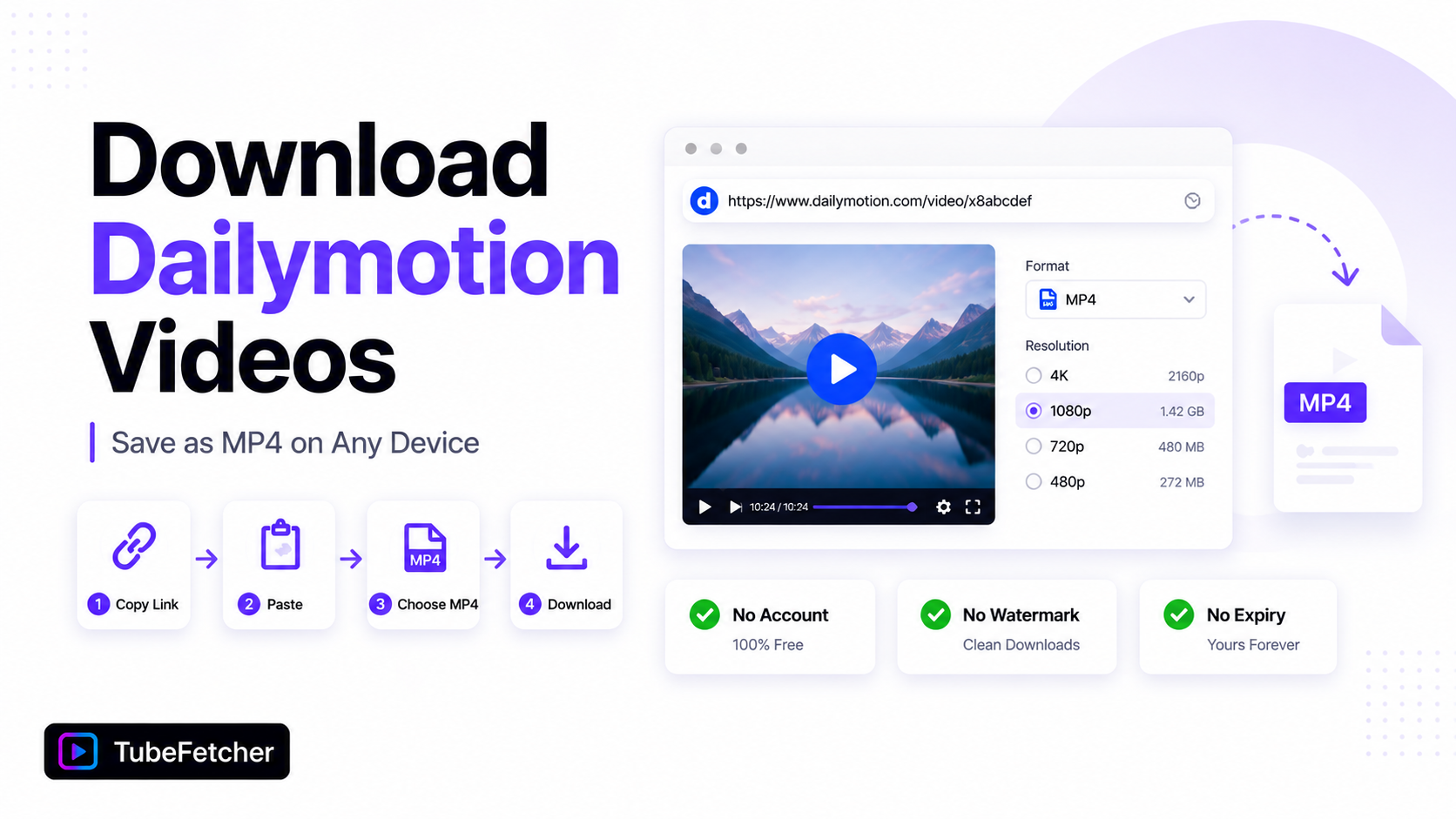
- Open the video on Dailymotion. Copy the URL from the address bar, or tap Share and Copy link in the app.
- Paste the link into TubeFetcher.
- Pick MP4 and a resolution from the listed options.
- Download. The file saves to your device.
Grab the app for your platform:
- Mac, Universal installer for Intel and Apple Silicon
- Windows, installer for Windows 10 and 11
- Linux, AppImage, no install needed
- Android, Universal APK for all devices
100,000+ people in 30+ countries run our app today. Our how to use TubeFetcher guide covers setup in two minutes.
Which Dailymotion Links Work
Dailymotion links come in three shapes. All three resolve the same way.
- Standard video URLs. The format with /video/ and a short ID.
- dai.ly short links. Share-sheet links that expand to the full URL.
- Playlist URLs. Links containing /playlist/ queue every video in the list.
The playlist support matters. Dailymotion channels organize content into playlists heavily. One playlist URL pulls the full set through the same queue our batch download workflow uses on YouTube.
Dailymotion Video Quality: What to Expect
Dailymotion serves most content at 720p or 1080p. Some partner channels reach 4K. Older uploads often hold only 480p.
The app lists what the source holds. Pick the top option. A ten-minute Dailymotion video at 1080p runs about 260 MB. The same rules from our video quality guide apply here. Source quality is the ceiling. No download exceeds what the uploader provided.
When a Dailymotion Video Refuses to Download
Three restriction types block downloads at the source.
- Geo-restricted videos. Dailymotion licenses some content by country. A video blocked in your region streams nowhere and downloads nowhere.
- Password-protected videos. Private uploads need the password before the stream exists. Enter it in the browser first, then copy the URL.
- Embedded-only videos. Some publishers lock playback to their own site. Copy the URL from the publisher page where the video actually plays.
The playback test settles every case. A video that streams in your browser downloads through our app. A video that refuses to play has a source-level block no tool bypasses.
Downloading Dailymotion on iPhone and Android
Android handles the full flow on the device. Copy the share link. Paste it into TubeFetcher for Android. The MP4 lands in your gallery. Our SD card guide covers external storage for bigger libraries.
iPhone routes through your computer. Download on Mac or PC. Transfer with AirDrop or iCloud Drive. Our iPhone and Mac sync guide covers the routes, and the Camera Roll guide finishes the job in Photos.
Who Actually Downloads from Dailymotion
Dailymotion hosts content that exists nowhere else. Three groups use the archive habit most.
- European sports fans. French and European broadcasters publish highlights on Dailymotion first. Clips rotate out fast when rights windows close.
- News archivists. Broadcasters run official Dailymotion channels. Segments disappear when licensing lapses.
- Music collectors. Sessions and interviews from European labels live on Dailymotion and often never reach YouTube.
The pattern repeats across platforms. Licensed content runs on a clock. The MP4 on your drive does not. The same logic drives our Twitch VOD guide, where the deletion timer is written into the platform rules.
Saving Dailymotion Videos the Permission-Based Way
Download content you have rights or permission to save. Your own uploads qualify. Creative Commons material qualifies. Content creators approve for offline use qualifies.
Keeping a private copy is a different act from re-uploading someone else’s video. That line holds on every platform we support. Our legality guide covers the personal-use position, and our multi-platform overview lists all 19+ platforms under the same standard.
One Paste Beats the Missing Button
Dailymotion ships no download button and an offline feature that expires. The fix is the same one paste our users run everywhere else. Copy the video URL. Drop it into our app. Save the MP4. The video stays on your drive after the rights window closes and the platform moves on.