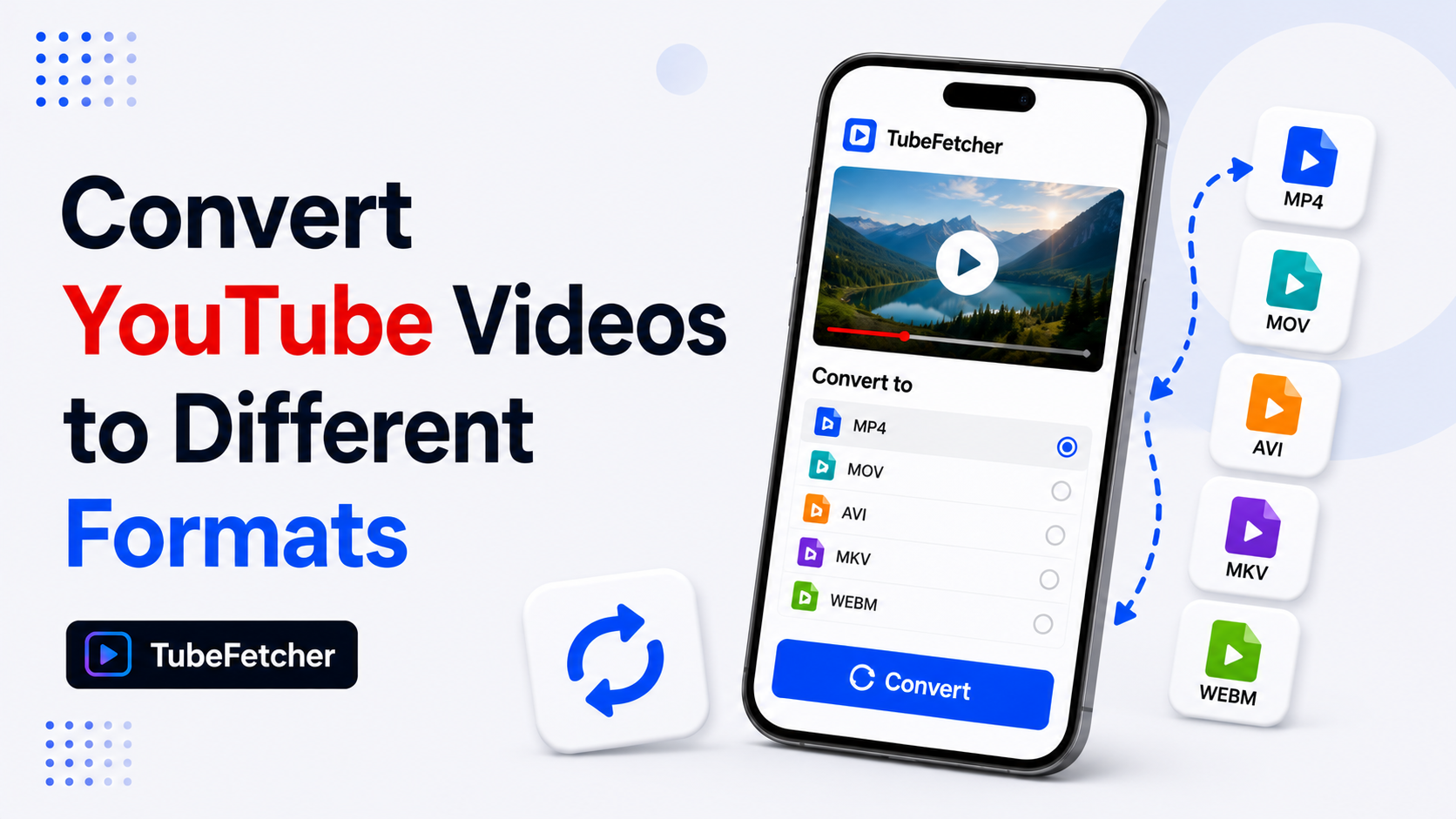
MP4 wins for universal device playback across iPhones, Smart TVs, and car systems. WebM wins for smaller file sizes and access to YouTube’s highest quality 4K streams. TubeFetcher downloads YouTube videos in MP4 format by default, ensuring your files play on virtually any device without conversion headaches.
The format you choose depends entirely on where you plan to watch. Someone downloading lecture videos for an iPad needs MP4. Someone archiving 4K content on a PC with limited storage benefits from WebM. This guide breaks down the real differences so you can make the right choice for your specific situation.
Understanding Containers vs Codecs
Before comparing formats, you need to understand what you’re actually comparing. MP4 and WebM are containers; think of them as boxes that hold video and audio data. The codec inside the container determines actual quality and file size.
Container: The file format wrapper (MP4, WebM, MKV)
Codec: The compression method for video/audio data inside
MP4 Container Breakdown
MP4 typically contains:
- Video codec: H.264/AVC (most common) or H.265/HEVC (newer, more efficient)
- Audio codec: AAC
- Compatibility: Plays on essentially everything manufactured in the last 15 years
H.264 became the industry standard because every smartphone, tablet, Smart TV, gaming console, and car infotainment system includes hardware decoding for it. Your device’s processor handles H.264 playback efficiently without draining battery or generating heat.
WebM Container Breakdown
WebM typically contains:
- Video codec: VP9 (current standard) or AV1 (emerging)
- Audio codec: Opus
- Compatibility: Excellent on browsers, Android, and PC. Limited on older Apple devices and legacy hardware.
Google developed WebM as an open, royalty-free alternative to MP4. YouTube uses VP9 extensively for streams above 1080p because it delivers equivalent visual quality at 30-50% smaller file sizes compared to H.264.
Quick Comparison: MP4 vs WebM
| Attribute | MP4 (H.264/AAC) | WebM (VP9/Opus) |
| Device Compatibility | Universal | Browsers, Android, PC |
| iPhone/iPad Support | Native | Limited (improving) |
| Smart TV Support | Excellent | Varies by model |
| File Size | Larger | 30-50% smaller |
| Max Resolution on YouTube | Often capped at 1080p | 4K, 8K, HDR available |
| Hardware Decoding | Ubiquitous | Growing support |
| Editing Software Support | All major NLEs | Limited |
| Open Source | No (licensed) | Yes (royalty-free) |
When to Choose MP4
MP4 remains the safest choice for most people downloading YouTube videos. Select MP4 when:
You Need Universal Playback
MP4 files play on:
- iPhones, iPads, and MacBooks
- Android phones and tablets
- Windows and Linux computers
- Smart TVs (Samsung, LG, Sony, TCL)
- Gaming consoles (PlayStation, Xbox, Nintendo Switch)
- Car infotainment systems
- USB media players
- Airplane seatback screens
If you’re downloading YouTube videos to a USB drive for playback on a TV or car stereo, MP4 eliminates compatibility guesswork. The file works. Period.
You Plan to Edit the Video
Video editing software handles MP4/H.264 files reliably. Adobe Premiere Pro, DaVinci Resolve, Final Cut Pro, and even basic editors like iMovie expect MP4 input. WebM support exists in some editors but often requires transcoding first, which adds time and potential quality loss.
You’re Sharing Files with Others
Sending a WebM file to someone unfamiliar with video formats creates friction. They might not have a player who handles it. Their phone might refuse to open. MP4 removes this problem entirely; recipients can play the file regardless of their technical knowledge or device choice.
You’re Building an Offline Library for Mobile
Teachers building offline lesson libraries, students saving lectures, or travelers downloading entertainment for flights should stick with MP4. Mobile devices handle MP4 playback efficiently with minimal battery drain thanks to hardware acceleration.
When to Choose WebM
WebM makes sense in specific scenarios where its advantages outweigh compatibility trade-offs:
You Want the Highest Available Quality
YouTube serves its best streams, 4K, 8K, and HDR content, primarily in WebM format using VP9 or AV1 codecs. If you request MP4/H.264 for a 4K video, you might receive a downgraded 1080p version or a file that was transcoded from the WebM original (introducing quality loss).
For maximum visual fidelity on high-resolution content, WebM delivers what YouTube actually stores on its servers.
Storage Space Matters
VP9 achieves comparable visual quality to H.264 at significantly smaller file sizes. AV1 pushes efficiency even further. If you’re archiving hundreds of videos, WebM saves substantial storage:
| Resolution | MP4 (H.264) Estimate | WebM (VP9) Estimate | Space Saved |
| 1080p, 10 min | 200-300 MB | 120-180 MB | ~40% |
| 4K, 10 min | 800-1200 MB | 500-700 MB | ~40% |
Over 100 videos, those savings add up to tens of gigabytes.
You’re Watching on PC, Android, or Browser
If your content stays on a Windows PC, Android phone, or streams through Chrome/Firefox/Edge, WebM plays perfectly. Modern Android devices include VP9 hardware decoding, making playback smooth and battery-efficient.
You Support Open Standards
WebM and its codecs (VP9, AV1, Opus) are royalty-free and open source. Some users prefer supporting non-proprietary formats in principle.
How YouTube Actually Delivers Video
Understanding YouTube’s delivery system explains why format choice matters.
YouTube doesn’t store one video file per upload. Instead, it encodes each video into dozens of versions across different resolutions, codecs, and bitrates. When you watch or download, YouTube’s adaptive streaming system selects appropriate streams based on your device, connection speed, and request.
YouTube’s Format Hierarchy
Resolution Tiers:
├── 144p – 720p
│ └── Available as: H.264 (MP4) or VP9 (WebM)
├── 1080p
│ └── Available as: H.264 (MP4) or VP9 (WebM)
├── 1440p (2K)
│ └── Usually: VP9 (WebM) preferred, H.264 limited
├── 2160p (4K)
│ └── Usually: VP9 or AV1 (WebM) only
└── 4320p (8K) / HDR
└── Typically: VP9 Profile 2 or AV1 (WebM) only
At 1080p and below, you can typically choose either format. Above 1080p, WebM dominates because H.264’s file sizes become impractical for YouTube’s bandwidth costs.
TubeFetcher’s Approach: MP4 by Default
TubeFetcher downloads YouTube videos in MP4 format, prioritizing compatibility over marginal file size savings. This decision reflects how most users actually consume downloaded content:
- Playing on phones during commutes
- Watching on tablets during flights
- Displaying on classroom projectors
- Viewing on living room TVs via USB
For these use cases, MP4’s universal compatibility matters more than WebM’s efficiency gains. You download a YouTube video, transfer it to your device, and it plays. No conversion. No codec errors. No troubleshooting.
TubeFetcher supports quality selection from 144p to 1080p+, letting you balance file size against visual clarity. Check our resolution guide for recommendations based on your playback device.
Device Compatibility Matrix
Reference this table when deciding which format works for your target device:
| Device Category | MP4 (H.264) | WebM (VP9) | Notes |
| iPhone / iPad | Yes | Limited (iOS 14+, Safari only) | MP4 recommended |
| Android Phone | Yes | Yes | Either works |
| MacBook | Yes | Limited (Safari/Chrome) | MP4 safer |
| Windows PC | Yes | Yes (most players) | Either works |
| Linux PC | Yes (most players) | Yes | Either works |
| Samsung Smart TV | Yes | Limited (newer models) | MP4 recommended |
| LG Smart TV | Yes | Limited (newer models) | MP4 recommended |
| PlayStation 5 | Yes | No | MP4 required |
| Xbox Series X | Yes | Limited | MP4 recommended |
| Car USB Playback | Yes (most systems) | Rare | MP4 required |
| Airplane Screens | Yes (usually) | Unlikely | MP4 required |
Common Problems and Solutions
“The video has no audio”
This happens when video and audio streams download separately and fail to merge. YouTube stores video and audio as separate files for adaptive streaming. Proper download tools merge them automatically. TubeFetcher handles this merging process internally, delivering complete files with synchronized audio.
“The file won’t play on my iPhone”
You likely downloaded a WebM file. iPhones play MP4/H.264 natively but struggle with VP9 WebM files outside Safari. Solution: download in MP4 format, or use a converter app to transcode WebM to MP4.
“My video editor won’t import the file”
Many editing applications expect MP4 input. WebM support varies. If your editor rejects a WebM file, you’ll need to convert it first using tools like HandBrake or FFmpeg. To avoid this, download in MP4 when you know you’ll edit the content.
“The 4K option isn’t available as MP4”
YouTube often serves 4K exclusively in WebM format. If you specifically need 4K MP4, you may need to transcode from WebM, which takes time and processing power. For most viewing purposes, 1080p MP4 provides excellent quality without these complications.
Which Format Should You Download?
Choose MP4 when:
- You need guaranteed playback on any device
- You’re using iPhones, iPads, or Apple TV
- You’re playing files on Smart TVs or car systems
- You plan to edit the downloaded video
- You’re sharing files with non-technical users
Choose WebM when:
- Maximum quality matters more than compatibility
- You’re downloading 4K or 8K content
- Storage space is a primary concern
- You’re watching exclusively on PC, Android, or browser
- You prefer open-source formats
For most users downloading YouTube videos for offline viewing, MP4 is the right choice. It works everywhere, plays instantly, and eliminates technical hassles. TubeFetcher delivers MP4 downloads precisely because universal compatibility serves the widest range of use cases.
Download TubeFetcher free and start saving YouTube videos in a format that plays on all your devices:
- TubeFetcher for Windows (.exe installer)
- TubeFetcher for Windows (Portable .zip)
- TubeFetcher for Android (Universal APK)
- TubeFetcher for Android (ARM64)
- TubeFetcher for Android (ARMv7)
- TubeFetcher for macOS – Coming Soon
Frequently Asked Questions
Is WebM or MP4 better quality for YouTube downloads?
At the same resolution and bitrate, visual quality is nearly identical. WebM achieves that quality with smaller files. However, YouTube’s highest resolution streams (4K, 8K, HDR) are often WebM-only, so WebM technically provides access to better quality at the top end.
Why does YouTube use WebM instead of MP4?
Cost and efficiency. VP9 and AV1 codecs in WebM deliver equivalent quality at 30-50% smaller file sizes. For a platform serving billions of video views daily, that bandwidth reduction translates to massive infrastructure savings.
Can I convert WebM to MP4 without losing quality?
True lossless conversion (remuxing) only works when the codecs are compatible with the new container. VP9 video cannot be remuxed into MP4 without transcoding, which introduces some quality loss. The loss is typically minimal and imperceptible, but it exists.
Does TubeFetcher download WebM or MP4?
TubeFetcher downloads in MP4 format by default, ensuring maximum compatibility across devices. This means your downloaded videos play on iPhones, Smart TVs, car systems, and virtually any other device without conversion.
Which format should I choose for archiving YouTube videos?
For long-term archiving where storage costs matter, WebM’s smaller file sizes help. For archives you’ll access on various devices over time, MP4’s guaranteed compatibility provides peace of mind. Consider your storage constraints and likely playback scenarios.
What’s the best format for downloading YouTube to watch offline on a plane?
MP4. Airplane seatback entertainment systems, personal tablets, and laptops all handle MP4 reliably. WebM compatibility on these devices is inconsistent. See our guide on saving YouTube videos without paying for offline viewing strategies.
Related Guides
- Best YouTube Format for Downloads – Complete format overview
- Best YouTube to MP4 Converter – Tool comparison
- Best Resolution for Offline Viewing – Quality recommendations
- Download YouTube Audio as MP3 – Audio extraction guide
- Download YouTube Videos on PC – Desktop tutorial
- Is It Safe to Use YouTube Downloaders? – Security guide