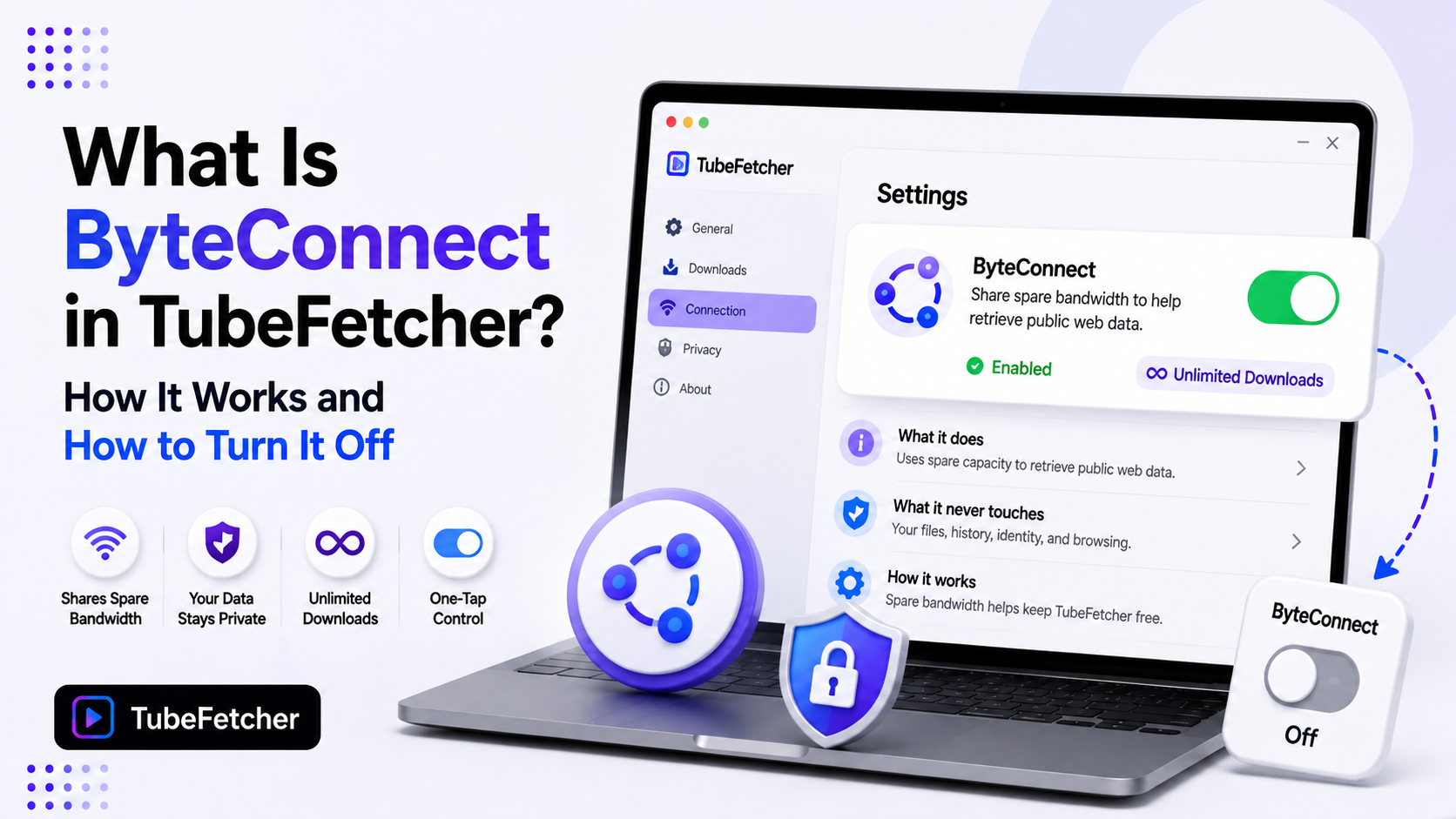
ByteConnect is the resource-sharing feature built into TubeFetcher. When enabled, it shares a portion of your unused bandwidth to help download public web data. In return, downloads through our app stay unlimited and free. The toggle sits at the top of the settings panel. One tap turns it off. Nothing about the feature touches your files, your downloads, or your personal data. This page explains exactly what ByteConnect does, what it never does, and how to control it. We built this explainer because bandwidth-sharing features deserve a plain answer from the company that ships them.
What ByteConnect Does
ByteConnect shares spare bandwidth from your connection. That shared capacity helps retrieve public web data. The feature is part of how we keep TubeFetcher free with no caps, no ads, and no account.
Three facts define the scope:
- It uses spare capacity only. Your own downloads and browsing take priority. ByteConnect works with bandwidth you are not using.
- It handles public web data. The shared capacity retrieves publicly accessible content. Nothing private moves through it.
- It funds the free model. Unlimited downloads with zero ads cost money to run. ByteConnect is the trade that pays for it.
The status shows in settings. Enabled displays a green indicator and the Unlimited downloads badge. The whole system runs in the background with no action needed from you.
What ByteConnect Never Touches
The boundaries matter more than the feature. Five things sit permanently outside ByteConnect’s reach.
- Your downloaded files. Videos and MP3s on your drive stay on your drive. Nothing uploads them anywhere.
- Your download history. What you download stays on your device. Our privacy architecture covers this in full.
- Your personal data. No account exists. No identity attaches to shared bandwidth.
- Your browsing. ByteConnect sees no browser activity. It runs inside our app only.
- Your passwords and sessions. The feature has no access to credentials of any kind.
The design principle is simple. ByteConnect shares connection capacity. It never shares content, identity, or activity.
How to Turn ByteConnect Off
The switch takes one tap. No menu digging.
- Open TubeFetcher.
- Click the settings icon in the top right corner.
- Find ByteConnect at the top of the panel.
- Tap the toggle. The green Enabled indicator switches off.
The setting saves instantly and holds across restarts. Turning it back on works the same way. The app stays functional either way. Downloads still run with ByteConnect off.
When Turning ByteConnect Off Makes Sense
The feature suits most users at its default. Three situations justify the off switch.
- Metered connections. Mobile hotspots and capped data plans charge for every gigabyte. Spare-bandwidth sharing costs real money on metered plans. Turn it off there.
- Minimum-latency work. Competitive gaming and live streaming want every millisecond. Background bandwidth use is small, but zero is zero.
- Restricted networks. Workplace and campus networks with strict usage policies deserve caution. Off is the polite default on a network you do not own.
Home broadband with unlimited data fits the default. Spare capacity on an idle connection costs nothing to share.
ByteConnect and Download Speed
ByteConnect yields to your own traffic. Your downloads take priority over shared capacity. A download running through our app pulls at full available speed whether the toggle sits on or off.
Slow downloads trace to other causes. Tool throttling, resolution size, and network conditions drive nearly every slow download we see. Our slow downloads guide walks the diagnosis layer by layer. ByteConnect sits at the bottom of that suspect list by design.
Why We Built the Free Model This Way
Free downloader tools pay their bills somewhere. The category shows three funding models. Ads. Paid tiers. Resource sharing.
Ad-funded tools become the pop-up mazes that made web converters infamous. Our safety comparison covers what ad density does to that corner of the category. Paid tiers cap the free version. The 30-per-day limits and 5-video playlist previews on freemium competitors exist to push upgrades.
We chose resource sharing. The trade is visible, labeled, and reversible with one tap. You see the toggle. You control it. Downloads stay unlimited either way. That transparency is the standard a bundled feature owes its users.
ByteConnect Questions Users Ask
Does ByteConnect slow my internet?
It uses spare capacity and yields to your traffic. Normal browsing and streaming continue unaffected on typical home connections.
Does it run when the app is closed?
ByteConnect runs inside the app. Quit the app and the sharing stops with it.
Does it upload my files?
No. It never touches files on your device. The shared capacity retrieves public web data only.
Does turning it off limit my downloads?
Downloads keep working with the toggle off. The feature supports the free model overall rather than gating your individual usage.
Is it on by default?
The toggle state shows at the top of settings the first time you open the panel. Check it once and set your preference. The choice holds.
The Feature in One Paragraph
ByteConnect shares spare bandwidth to help retrieve public web data. That trade keeps TubeFetcher free with no ads, no caps, and no account. It never touches your files, your history, or your identity. The toggle sits at the top of settings and flips off in one tap.
Metered connections and restricted networks justify the off switch. Everyone else loses nothing either way. Our how to use TubeFetcher guide covers the rest of the settings panel, and our safety page documents the full privacy architecture the feature lives inside.