Mac users saving videos from YouTube, Vimeo, TikTok, and Instagram in the same week often install four separate apps. Each app comes with its own ads, its own privacy posture, and its own update cycle. TubeFetcher consolidates the workflow into one Mac app that downloads MP4 video and MP3 audio from 19+ platforms through the same paste-and-download flow. This guide covers the multi-platform Mac workflow, which platforms TubeFetcher handles, and where the single-app approach fits best for creators, students, and remote workers.
Why one Mac app beats five separate platform downloaders
Mac users running platform-specific downloaders hit the same five problems. A YouTube tool fails on Vimeo. A Vimeo tool ignores TikTok. A TikTok converter adds a watermark. An Instagram extension breaks after platform updates. A SoundCloud downloader sits unused most weeks.
The fragmentation creates four concrete costs:
- Storage and memory overhead from running multiple Electron-based apps
- Different privacy postures across each tool, with no consistent local-only guarantee
- Repeated learning curves every time a new platform enters the workflow
- Ad exposure multiplied across five web converters that each carry their own trackers
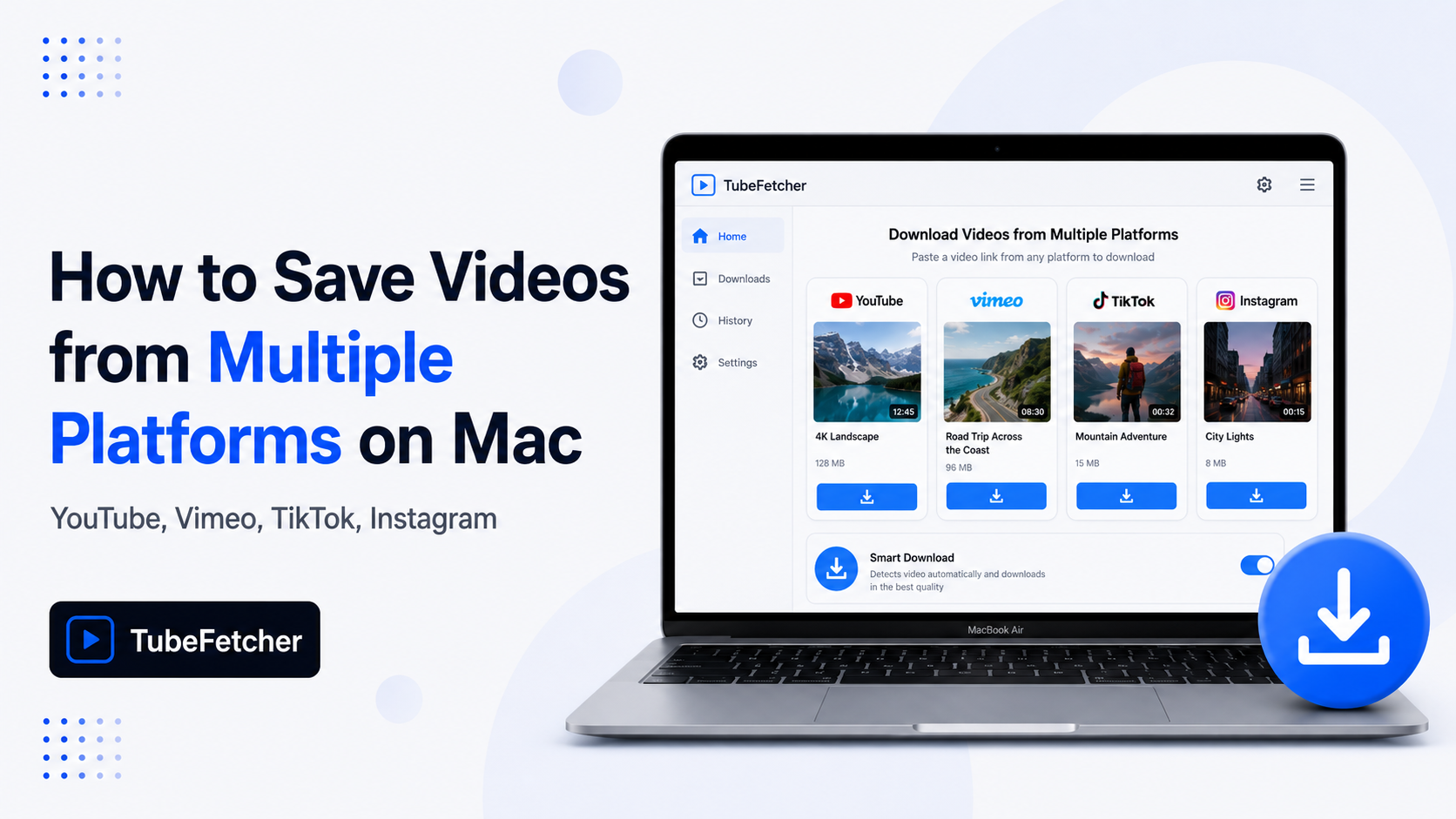
TubeFetcher solves the fragmentation with one Mac app that handles every major platform through the same four-step flow. The Universal binary runs on Intel and Apple Silicon. The local-only architecture means no file routes through external servers, on any supported platform.
How TubeFetcher handles multi-platform downloads on Mac
TubeFetcher uses the same paste-and-download workflow across every supported platform. The consistency removes the per-platform relearn cost that comes with managing separate tools.
The four-step Mac flow:
- Copy the video URL from any supported platform’s share menu or browser address bar.
- Open TubeFetcher on your Mac.
- Paste the link and select MP4 video or MP3 audio with your preferred resolution.
- Click download. The file saves locally to your Mac.
The same four steps work whether the source is a YouTube tutorial, a Vimeo film reference, a TikTok trend clip, or an Instagram Reel. TubeFetcher recognizes the URL pattern and applies the correct stream extractor automatically.
Download TubeFetcher for your operating system:
- Mac, Universal binary for Intel and Apple Silicon
- Windows, .exe installer
- Linux, AppImage, no install required
- Android, Universal APK
100,000+ users in 30+ countries run TubeFetcher today. For first-run setup on macOS, the TubeFetcher how-to guide covers installation and the first download.
Which platforms does TubeFetcher support on Mac
TubeFetcher downloads from 19+ platforms across four content categories on macOS. The categories are sorted by content type, which fits the way Mac users actually organize their saves.
Video platforms
The video category covers long-form, professional, and creator-focused content. TubeFetcher delivers MP4 files at source resolution, up to the quality each platform provides.
- YouTube, tutorials, music videos, lectures, podcasts, long-form content
- Vimeo, professional films, portfolio reels, design references, education
- Dailymotion, general video, news, sports
- Twitch, live streams, VOD, gaming
- Bilibili, anime, gaming, Chinese-language content
- Rumble, news, podcasts, alternative media
- BitChute, alternative news, podcasts
- Naver, Korean drama, K-pop, regional news
- Flickr, photo and video portfolios
- Streamable, short clips, gaming highlights
- Loom, screen recordings (where you have access)
- Odysee, decentralized video content
Music platforms
The music category covers audio-first content where Mac users save tracks, podcasts, mixes, and DJ sets. TubeFetcher extracts MP3 audio at the bitrate the source provides.
- SoundCloud, independent music, DJ mixes, podcasts, remixes
- Bandcamp, independent label content, artist tracks
Social platforms
The social category covers short-form, mobile-first, and feed-based content. TubeFetcher downloads MP4 video from each platform’s native share URLs.
- TikTok, short-form vertical video, trends (watermark-free output)
- Instagram, Reels, Stories, IGTV, feed videos
- X (formerly Twitter), video tweets, news clips, embedded video
- Facebook, public video posts, Watch content
- Reddit, video posts from any subreddit
Five Mac workflows that benefit most from one downloader
The multi-platform approach fits five specific Mac user types whose source content lives across more than one site.
Content creators repurposing across platforms
Creators editing short-form content draw reference from TikTok trends, Instagram Reels, and Vimeo for professional inspiration. TubeFetcher pulls clean MP4 files from each source, TikTok without the watermark, Instagram at source resolution, Vimeo where the creator has enabled access. The unified Mac workflow keeps reference clips organized in one folder structure instead of three.
Students saving lectures from multiple sources
University coursework often spans YouTube tutorials, professor-uploaded Vimeo lectures, Bilibili tutorials for language study, and Loom recordings for project handoffs. TubeFetcher saves all four to the same local library, which fits offline study during travel or low-connectivity periods. The companion private and unlisted YouTube guide for Mac covers the permission-based workflow for class-restricted content.
Remote workers building offline libraries
Distributed teams move training content across YouTube channels, Loom screen recordings, and Vimeo professional series. Remote workers preparing for flights, low-bandwidth regions, or focused work blocks need offline access to all three. TubeFetcher saves each as a portable MP4, which plays in QuickTime, VLC, and any standard Mac video player.
Marketers researching competitor content
Brand teams analyzing competitor video strategy track content across YouTube long-form, TikTok shorts, Instagram Reels, and X video posts. TubeFetcher pulls the source MP4 from each platform without leaving an account trail, which preserves research privacy. The single-app workflow speeds up the per-platform competitor sweep.
Designers archiving inspiration
Designers building mood boards collect video reference from Vimeo motion design portfolios, YouTube animation tutorials, and Dribbble-shared TikTok clips. TubeFetcher’s MP4 output drops directly into Final Cut Pro, DaVinci Resolve, After Effects, and Figma’s video frames, no re-encoding required.
Where the multi-platform approach fits less well
Three cases call for a platform-specific approach instead:
- Bulk archival of one platform only, yt-dlp with platform-specific flags handles 10,000-video YouTube channel archives faster than any GUI
- DRM-protected paid content, TubeFetcher and every legitimate downloader respect platform DRM, so paid Netflix or Disney+ content stays out of scope on every tool
- Live screen capture of unsaveable content, macOS Command+Shift+5 screen recording handles content that no download tool can extract
For these edge cases, the specialized approach fits better than the general multi-platform Mac workflow.
How to start the multi-platform Mac workflow today
The setup takes three steps:
- Install TubeFetcher on your Mac through the Universal binary linked above.
- Copy any video URL from YouTube, Vimeo, TikTok, Instagram, or 15+ other supported platforms.
- Paste, select MP4 or MP3, and download.
Never enter passwords for YouTube, Vimeo, TikTok, Instagram, or any other platform into a third-party app. Legitimate Mac downloaders use public URLs and your browser session, they do not require platform credentials.
Related Mac download guides
For platform-specific deep dives that go beyond the multi-platform workflow above:
- How to Download YouTube Videos on Mac Without YouTube Premium, Mac hub covering Premium alternatives
- How to Download Vimeo Videos on Mac, public, password-protected, and embedded Vimeo
- How to Download TikTok Videos on Mac Without Watermark, clean MP4 from TikTok on Mac
Frequently Asked Questions
Can one Mac app really download from 19+ platforms?
Yes. TubeFetcher’s unified extractor handles 19+ platforms including YouTube, Vimeo, TikTok, Instagram, X, Facebook, Reddit, Twitch, Dailymotion, Bilibili, Rumble, BitChute, Naver, Flickr, Streamable, Loom, Odysee, SoundCloud, and Bandcamp through the same paste-and-download flow.
Does TubeFetcher work on Intel and Apple Silicon Macs?
Yes. The Universal binary runs natively on both Intel Macs and Apple Silicon Macs (M1, M2, M3, M4). The same feature set and 19+ platform support exist on both architectures.
Will multi-platform downloads slow down my Mac?
No. TubeFetcher uses native Mac architecture rather than Electron, which keeps memory and CPU usage low. Downloads run in the background while other Mac apps stay responsive.
Can I extract MP3 from any of the supported platforms?
Yes. TubeFetcher extracts MP3 audio from YouTube, Vimeo, SoundCloud, Bandcamp, and other audio-capable platforms at the bitrate the source provides. The same MP3 extraction works across all 19+ supported sites.
Does TubeFetcher require an account on each platform?
No. TubeFetcher requires no account on any of the 19+ supported platforms. The app downloads from public URLs and uses your existing browser session for content where authentication applies.